Busy day, so no deep and meaningful post today :( Instead I give you a clip from one of the funniest movies ever:
A little soapbox for me to stand on and rant from.
Busy day, so no deep and meaningful post today :( Instead I give you a clip from one of the funniest movies ever:
I do a heaps of Android development and whilst it appears straightforward there are quite a lot of subtleties, particularly when dealing with threads and UI updates, that generate all sorts of app crashes.
Unfortunately these race conditions are often very hard to reproduce. Thankfully (and evilly) we have the monkey testing tool. Set it loose and it frantically taps and swipes away, switching activities, causing mayhem and inevitably crashing your app.
Running monkey is really easy just, run the adb tool with the following parameters:
adb shell monkey -p your.package.name -v 500
Also make sure you run monkey on your app, on different versions of Android, especially if you use the support libraries which don’t always behave the same way on different OS versions. You will be surprised at what goes wrong.
Let loose the monkey and despair ☺
Logo was one of first programming languages (after BASIC) that I really learned in depth. The most famous aspect of Logo is its turtle graphics which simulates a tiny turtle to which you can give commands such as forward, backward, left turn and right turn. As the turtle moves on the screen it draws a line behind it.
With its graphical feedback, turtle graphics is an ideal way to introduce people to programming. Today I thought I’d go over some examples. I’m not going to use Logo but rather the Python programming language which has a turtle graphics module.
First steps, install Python and then launch IDLE (the Python installer should have created a short-cut). Now enter in the following (press Enter at the end of each line):
from turtle import *
showturtle()
You should see window with a black arrow in it. This is the turtle. Now type
forward(100)
The turtle should now move forward 100 turtle steps. Next enter the following lines:
right(90)
forward(100)
left(90)
forward(100)
The right and left commands turn the turtle the number of degrees you specify. It gets a little tedious to type these out the whole time so there is a shorthand. Try these commands:
bk(50)
fd(50)
rt(45)
lt(45)
Ok let’s try something more interesting. We are going to draw a square but first let’s clear the screen:
clearscreen()
Now the square:
fd(100)
rt(90)
fd(100)
rt(90)
fd(100)
rt(90)
fd(100)
rt(90)
Nice. But what if you want to draw lots of squares. It would get very boring typing out all those commands over and over again. Let’s tell the computer how to draw a square (note the indentation of the lines, these are important):
def sq():
    fd(100)
    rt(90)
    fd(100)
    rt(90)
    fd(100)
    rt(90)
    fd(100)
    rt(90)
Now we can just type:
sq()
to draw a square! Try this:
sq()
rt(5)
sq()
rt(5)
sq()
Shiny, we are getting a neat pattern forming… but once again it’s too tedious. So enter this:
clearscreen()
speed(0)
for i in range(6):
    sq()
    rt(60)
The speed command makes the turtle move faster so we don’t have to wait. The for statement gets the computer to repeat a set of commands and the range(6) command creates the numbers 0 to 5, which means that the commands sq() and rt(60) are repeated 6 times. Lets add a fd command in each iteration (step) of the loop:
clearscreen()
speed(0)
for i in range(72):
    sq()
    rt(5)
    fd(20)
And we get a donut type thing. Finally lets go crazy and write a new command called polyspi that calls itself!
def polyspi(angle,inc,side,times):
    if times > 0:
        fd(side)
        rt(angle)
        polyspi(angle,inc, (side + inc),(times - 1))
This is called recursion and because it changes it’s side and times values when it calls itself, we_ _can generate all sorts of interesting patterns such as:
clearscreen()
speed(0)
polyspi(90,5,50,50)
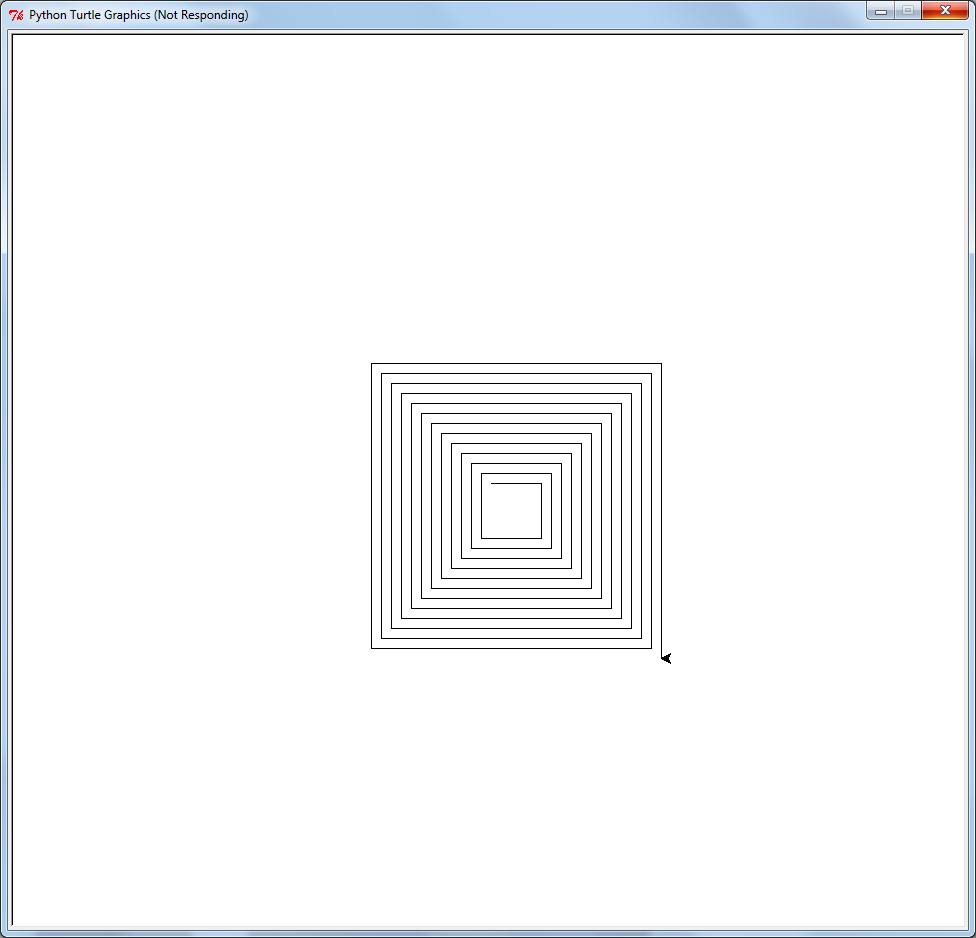
or
clearscreen()
speed(0)
polyspi(95,1,50,100)
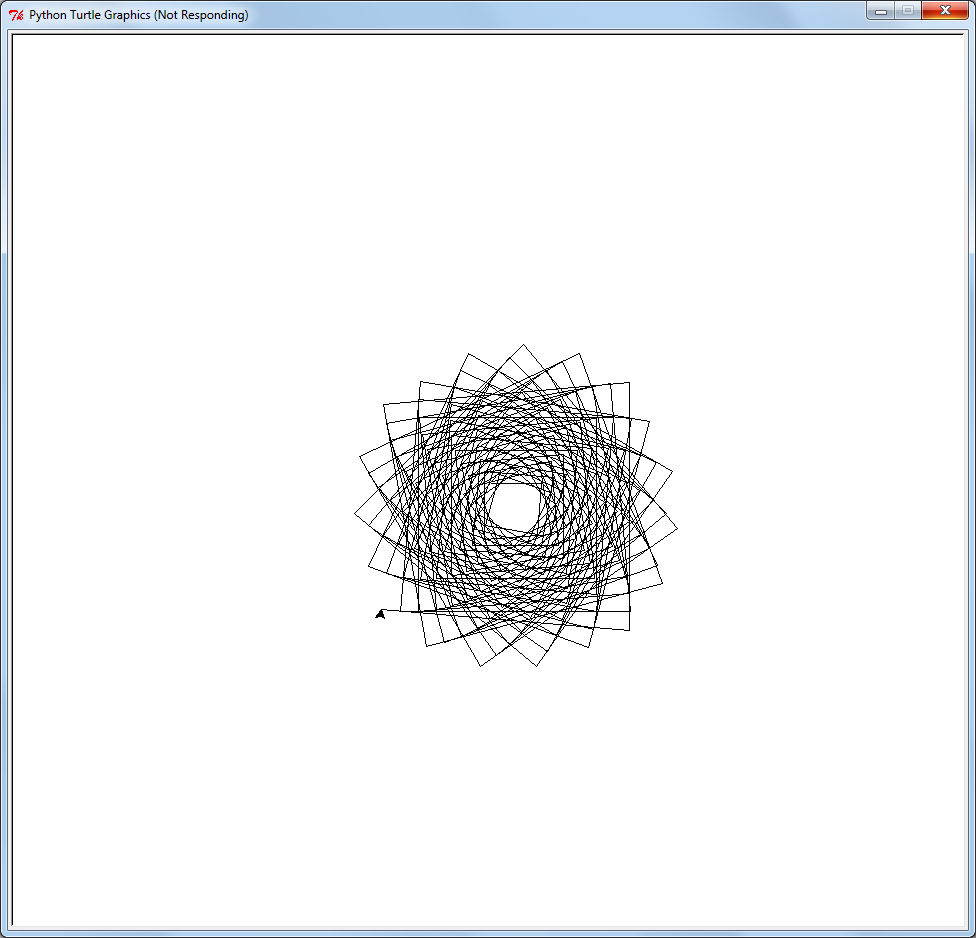
or
clearscreen()
speed(0)
polyspi(117,3,25,200)
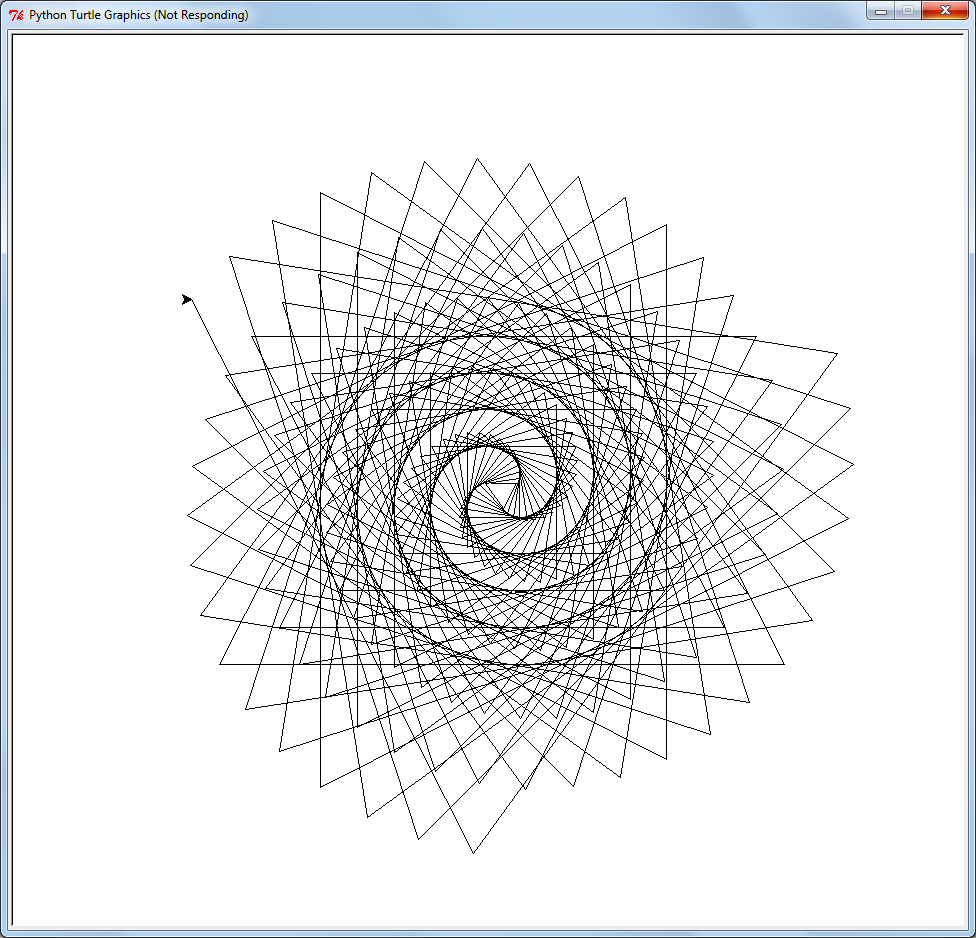
To find out more check out the Python turtle documentation. Have fun!
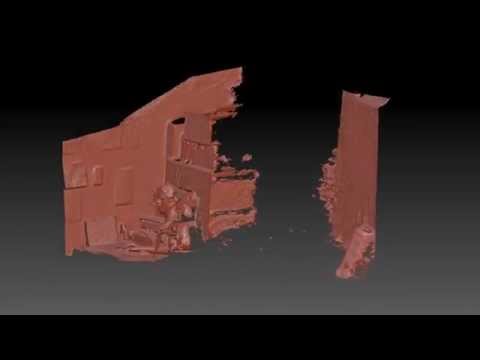
I’d thought I’d give the Kinect Fusion demos a try. Kinect Fusion allows you to take 3D scans of things by waving your Kinect around. It’s designed to work with the desktop/Windows version of the Kinect but I’d thought I’d give it a go with the Kinect from my old XBox 360.
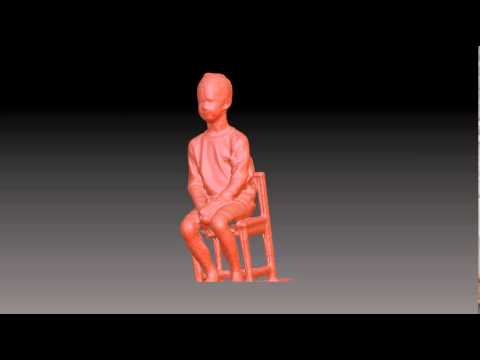
Turns out it works pretty well. The resolution is pretty low but if you were using one of the new Kinect v2s things would be a lot cripser.
Here is a selfie (holding the Kinect at arms length):
And here is one of son number 1 (who did a fantastic job of sitting very very still):
You if you want to give it a try yourself you can download the Kinect SDK from here.
So I bought a Raspberry Pi a couple of months ago and I’ve been having all sorts of fun trying out different things. I’ve created a wifi packet sniffer to track mobile devices and turned it into an arcade game machine, all sorts of interesting things.
Jasper is going to be my next weekend project. It basically lets you build your own J.A.R.V.I.S (from the IronMan movies). Here is a video of it in action:

I’ll update this post once I’ve tried it out :)
Insel is a fantasy setting I’ve been working on for a role playing game. Imagine a island covered by a crowded, renaissance city surrounded by a vast ocean. In all of history no one who has left the island has ever come back.
Metal is plentiful and intricate “clockwork ” machines power the society. Food and “wood” is grown from fungus and giant mushrooms which are farmed in the many abandoned mine tunnels under the city. Fish is the primary source of protein.
The city is governed by a council of guilds and the powerful church. The church also runs the guard of the city who keep the peace and defend the city from creatures which occasionally rise from the depths or crawl out of the mines. However all is not right with Insel.
Lorenzo’s Tale is a short bit of fiction that I wrote to help solidify some of the concepts of the world. I hope you enjoy it.
“Lorenzo’s Tale”
Lorenzo squinted into the night sky as his coracle gently bobbed on the ocean. With just a stretch of his imagination he could make out The Winged Horse raring up to crush The Serpent, the stars of the constellations seemed weak and ill. Grandfather used to recount tales of a night sky filled with hundreds of stars that shone so bright you didn’t need a lantern to walk around at night! That must have been quite a sight, Lorenzo though to himself.
Shaking himself out of his reverie, Lorenzo checked his lines and nervously cast his eye across the small fleet of fishing coracles bobbing around him. The stars aren’t the only things to be disappearing he thought, the sea should be teeming with Shrike on their annual mating run but this year they seem to have completely disappeared.
In desperation, the fishing fleet had been forced to move further and further away from Insel and it’s protective shallows. Going this far out was mad, a shiver ran up Lorenzo’s spine. He lied to himself, pretending it was just from the cool night air and not the dull fear trying to claw its way out of his gut. Perhaps he should have listened to Mora and not gone out with the fleet tonight but the fish were critically important to the city. So important in fact that Guild Master Arvo came down to the docks with Demi-Bishop Ragner to see the fleet off. The Demi-Bishop’s sermon was riveting, his blessing comforting and Lorenzo had cast off in high spirits.
“Lorenzo,” a voice called across the waters. Lorenzo turned to see Zefron hailing him from a nearby coracle, “you catch anything?”. Lorenzo shook his head and shouted back “Nothing! How about you?”
“I…” yelled Zefron. A massive tentacle smashed into Zefron’s boat, a second grabbed Zefron, raising him up into the air and then slamming him violently into the surface, before pulling him under.
“Sweet Mother Mary!” Lorenzo gasped as he stood stunned, watching the wreckage of Zefron’s coracle. Panic took hold and he started to scream “Leviathan, Leviathan…”. Confused shouts and then frantic screams erupted throughout the fleet.
Lorenzo grabbed the crank handle of his coracle’s motor and started to crank for all his worth. The flywheel painfully spun up to speed, the gears meshed and his boat started to slowly move, building up speed. He turned it towards Insel and safety. ”Sweet Mother Mary” he prayed “please let me see Mora’s face again. Please, please please..”
Behind him the catch lights of the fleet winked out one by one and the screams died away.
Windows 7 and above has a neat feature called hosted networking. This allows you to turn your laptop into a wireless access point. This is very useful if you want to share your laptop’s Internet connection with other wireless devices or (the reason I use it) for testing.
To set up a network open a command prompt and run the following commands
netsh wlan set hostednetwork mode=allow ssid=”GremlinsTestAP” key=”Pa$$w0rd”
netsh wlan start hostednetwork
This will create a wireless access point named GremlinsTestAP with a password of Pa$$w0rd
To shutdown the network run
netsh wlan stop hostednetwork
More detailed info can be found here:
The last decade has seen a renaissance in board gaming. The Internet and crowd funding platforms such as Kickstarter have made it particularly easy to publish a game and 1000s of new games are released each year.
For this post I thought I’d go over my collection and talk about the games I own.
 Battlestar Galactica
This game is based on the recent TV series. The players are the humans trying to escape the Cylons. Unfortunately a few of the players are secretly Cylon agents trying to derail the other players. My gaming group never really got into this one. I suspect it is because we know each other too well and can tell who the Cylons are right from the start.
Descent

****Descent is an awesome board game. The bulk of the players are adventures working their way through a dungeon, one of the players gets to be the Overlord and it’s their job to stop the players. The board consists of interlocking tiles that form the map of the dungeon. Miniatures are used to represent the location of the players and the monsters on the board. With treasure, traps, equipment upgrades and magic, Descent is basically a RPG dungeon crawl in board game format. I own the first edition of the game and a typical game can take 3 to 4 hrs to complete. The second edition has much more streamlined rules and apparently only takes an hour or so to complete.

Evil baby orphanage
This is a casual card game. The premise is that each player is a Time Nanny whose job it is to grab famously evil people when they where babies and place them into time orphanages before they can do harm. Each baby has a mischief value and the first player to START their turn with 8 mischief points wins. This is harder then it sounds as the other players are actively stealing your babies or activating their bad behaviors causing all sorts of mayhem. This is a fun and quick game with a great theme. A game takes between 15 and 30 minutes to finish.
Hex Hex XL
 This is another card game. This time you are bored wizards bouncing a spell (hex) between each other. If a wizard is unable to pass on a hex, it triggers, causing the wizard to lose points and the wizard who passed them the hex to gain points. The game ends after each wizard has had a chance to cast the first hex and the player with the most points wins. This game gets pretty hectic as cards can cause hexes to duplicate, be forced to only travel in certain directions and do more damage. Game length is about 30 minutes depending on the number of players.
 Lords of Waterdeep
In this game you play one of the secret Lords of the fantasy city of Waterdeep. The goal is to accumulate the most victory points in 8 turns. The primary way to earn points is to complete quests. To complete quests you need to gather together clerics, wizards, rouges, warriors and gold using your agents which you place at various points at the board. Additionally each lord has a number of types of quests which are their forte, finishing these earn extra victory points at the end. As well as blocking access to resources using your agents, you can also hinder the other players by playing intrigue cards. Whilst the game sounds and looks complicated it’s actually very straight forward and easy to learn. It’s fun to play but has quite a bit of depth to it. Game length is about 1.5 hours.
Munchkin
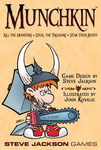 Munchkin is an older card game but still a great game. The players are heroes delving through a dungeon, collecting treasure and fighting monsters. The first player to reach 10 levels of experience wins. Levels are gained (or lost) by fighting monsters. Other players can aid or interfere with another player’s actions. This is definitely a “screw-your-friends” type of game so you really want to play with people who can handle that. The cartoon art on the cards is fantastic, full of geeky RPG references. A game typically takes about 45 minutes to play but it can drag on if players are being silly.
 Pandemic
Pandemic is a very interesting board game as it is a cooperative game, it’s players vs the board. Basically the players need to move around a map of the world, fighting the spread of 4 pandemics, trying to cure each one before the world is overwhelmed. The mechanics of the games are such that as play progresses things become more and more dire which really ramps up the stress levels. Each player gets a number of actions they can perform as well as a specialist role which gives them some kind of extra ability. The players really need to work together and plan ahead to win. I really enjoy this game but several in my gaming group find it very stressful, particularly when you dial up the difficulty of the game. It takes about an hour to play the game.
Settlers of Catan
 One of the most successful of the modern boardgames having sold over 18 million copies. Settlers sees players trying to get to 10 points first. Points are awarded for each city and town a player owns. These are placed at the corner of hex tiles that generate the player either wood, ore, sheep or brick resource cards. These cards are used (in different combinations) to build roads, build towns or upgrade towns to cities. The game also allows players to trade resource cards. There is no direct player conflict in the game but you can cut off other player’s access to the resources they need, hold trade embargoes and set The Robber on them to steal their resources. This game is very good with simple, elegant mechanics. If you were looking to get a game that will appeal to a wide group, get this one.
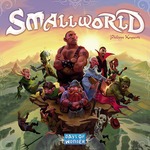 Small World
A first glance Smallworld looks likes Risk with a fantasy theme but it’s much more then that. Each player draws a race and a power from a deck. This gives the player a number of units to grab and hold areas of the map. Each area of the map held at the end of the player’s gives them a victory point. Additionally each power and race gives the play additional abilities or ways to earn bonus points. For instance if a player drew Humans as their race they would get an extra victory point for each field area of the map they hold (they like to farm). If that player also drew Flying as their power they would be to able to place units in any area of the board, rather then areas adjacent to their current ones (which is the standard rule).
An interesting aspect of the game is that a player can put their current race into decline, skip a turn and pick a new one. This is needed because your units slowly get whittled down by other player’s attacks to the point where you cannot hold enough areas to earn any decent amount of victory points on your turn. When to go into decline can be crucial to winning the game. Because the combination of power and race are randomized, replayability of the game is high. For instance you might have Commando Elves one game and Peace Loving Elves the next which radically effects how you play with them. The game comes with a number of different boards and the one you use depends on the number of players you are playing with. The number of players also determines the number of rounds that are played before victory points are tallied. This is great game with easy rules which, typically takes about an 1 hour to play._
_
Hopefully this post has wet your appetite. If you are looking to get started I’d suggest grabbing a copy of Settlers Of Catan or Small World to start.
Feature Driven Development (FDD) is my favorite Agile methodology. I have been using it for a number of years and it works really, really well. Here is a quick intro to FDD that I wrote a while back.
Feature Driven Development (FDD) is an Agile software development methodology. It provides a simple 5 step process that focuses on the delivery of quality software aligned with business needs.
FDD has a strong focus on efficient, up-front scoping, planning and costing, which makes it easy to slot into enterprise project governance structures.
The five FDD processes are grouped into two phases; the “start up” phase and the ”construction” phase. The focus of the start up phase is around scoping and planning,
whilst the construction phase is focused on the iterative and incremental build of the solution.
By the end of the start up phase, a highly accurate business case can be created (if required by an organisation’s governance structures).
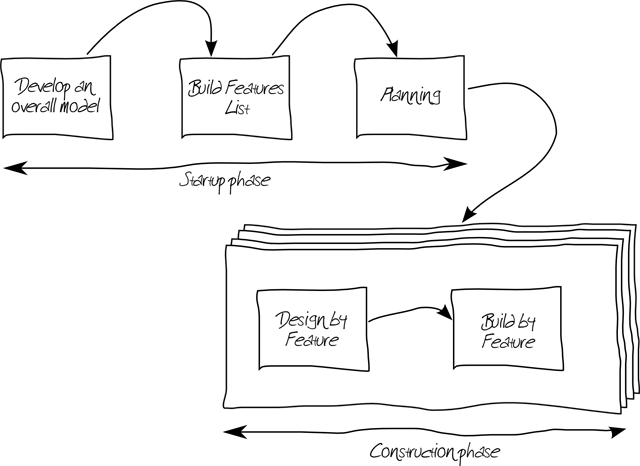
During this process the scope and the architecture of the solution are developed. This process generally takes the form of a number of half-day workshops involving all parties (stakeholders, architects, project managers, testers, developers, domain experts etc.). Outputs are typically story boards, deployment diagrams, use-case models etc.
During this process the solution is broken down into a list of features. A Feature is a part of
the solution’s functionality expressed in client or stakeholder terms. For instance:
This list is prioritized based on business needs, technical dependencies and risk. This process is typically completed in a workshop with all the participants of from process 1 and usually only takes a couple of hours.
In this process the features are grouped together into “Work Packages” and a project plan is built around the delivery of these work packages.
A work package is designed to be 2 weeks long, with the team deciding on how many features can be fitted into each work package. The end result of this process is a firm project plan for the delivery of the prioritised feature list. Costings for the project can then be easily derived from this plan.
During this process the team perform the detailed analysis, design and design QA for the features in the current work package. As with all Agile methods this work is done with heavy involvement of the stakeholders and domain experts. Once completed the development of the Feature can start.
This process is focused on the delivery of unit tested code into a build of the solution, ready for testing by stakeholders, testers and other interested parties. This allows for early integration, testing and feedback which is crucial for a modern software development project’s success.
After a work package is completed, the project plan is reviewed and work begins on the next work package. This allows the solution delivery to adapt to changing business requirements and needs.
Tracking is a key aspect of FDD. All tracking is performed against features. During the Design by Feature and Build by Feature processes, a number of milestone dates are tracked. This provides early warning of any potential issues. For example:

As each milestone is met a percentage complete is calculated for the feature, missed milestones are highlighted in red on progress charts.
Additionally, velocity charts are used to validate that the project is on track. Typically a feature completed by week (actual vs. planned) chart is used for this:

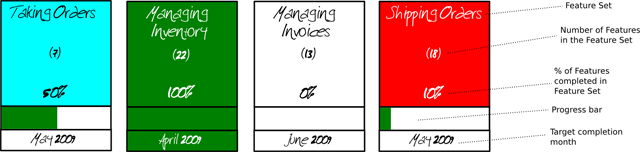
Finally a “parking lot” diagram is used to summarise the overall state of the project:
FDD is easily scalable to various team sizes, for example a small sized project team might look like this:

Whilst a large project team may look like this:

With 3 coding teams working on different features in parallel.
Agile methods are a great way to effectively build software and FDD is an easy to follow and implement example of an Agile method.
My eldest (currently 5) is big on “making” inventions” and experiments. Last weekend he desperately wanted to invent something with engines. Not having any engines handy I figured we could perhaps do something with elastic bands. Googling didn’t turn up anything too exciting but I did come across a picture of something from my childhood: a cotton reel with and elastic band threaded through the middle of the reel and held in place with a matchstick which you then wind to make a wind up toy:

Source http://www.minieco.co.uk/cotton-reel-tanks/
Unfortunately I didn’t have a cotton reel (nor suitable elastic bands it turns out) but after raiding the recycling bin and craft supplies I managed to collect:
First off I got the boys (child number 2 now joining in) to trace out 4 circles on the pizza box lid, using an upside down glass as a template.
These we then cut out as wheels, punching a hole in the middle of each one.
We then threaded an elastic band through the wheel, down the cardboard toilet roll and through the other wheel. On one end we hooked the elastic band over the matchstick sized bit of wood and the other end went over the tip of the popsicle stick.
All set we wound up the elastic band (using the popsicle stick) and calamity! The elastic bands we had were too weak and snapped when wound up :(
A quick raid of the bathroom secured us a couple of hair ties as replacements for the elastic bands. Unfortunately these were too strong, when wound up nothing moved… so off to the garage where we found a couple of metal washers to insert between the wheel and popsicle stick and…. success!
After some experimentation we discovered that its best to not wind the contraption too much, otherwise it just goes into a crazy spin! However if you wind it up about 7 times it travels in a nice straight line.
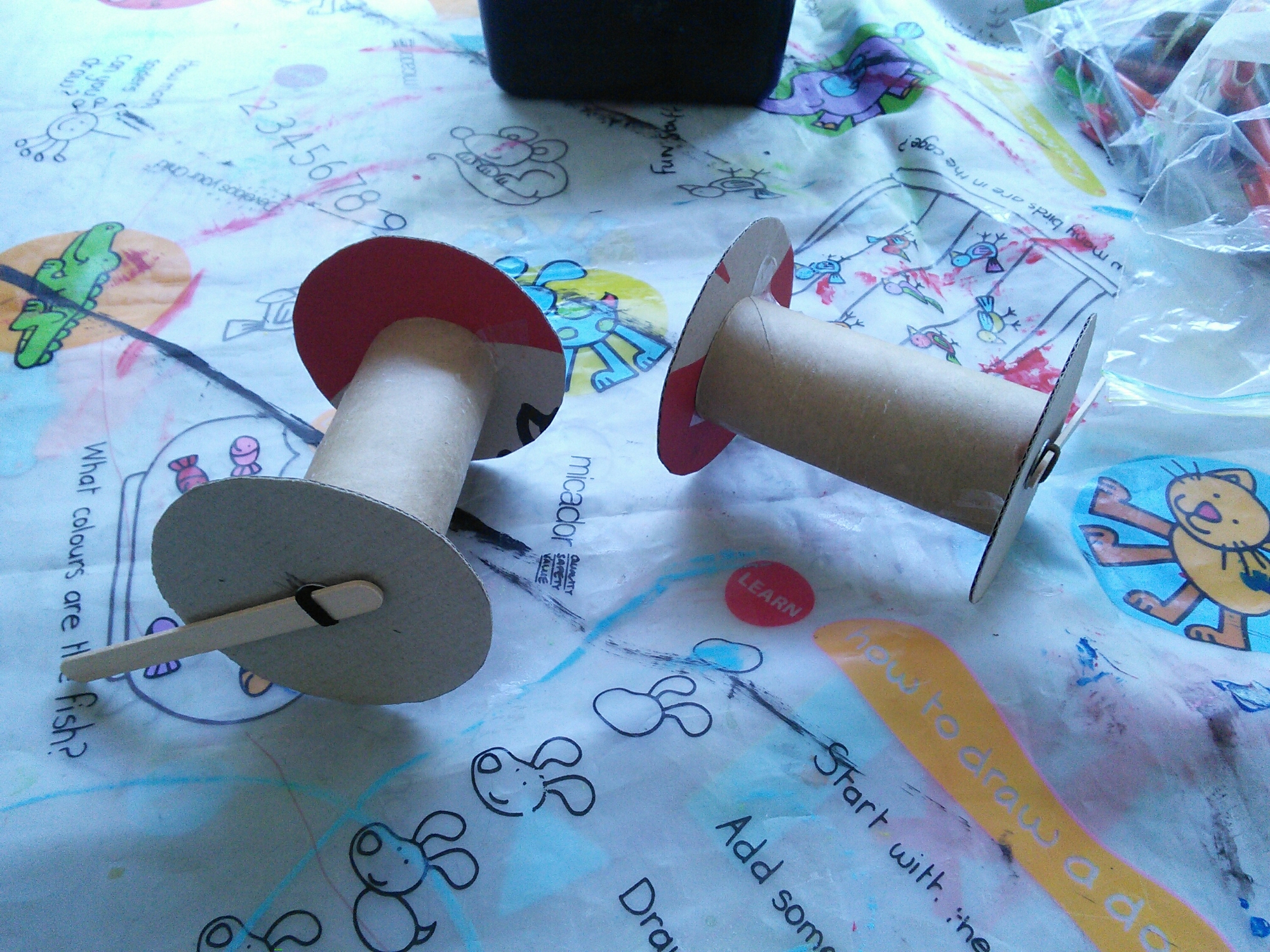
We taped the wheels to the cardboard tube with some sticky tape and the boys then decorated their vehicles with paint and pens. Then it was off to the driveway to hold some races ☺
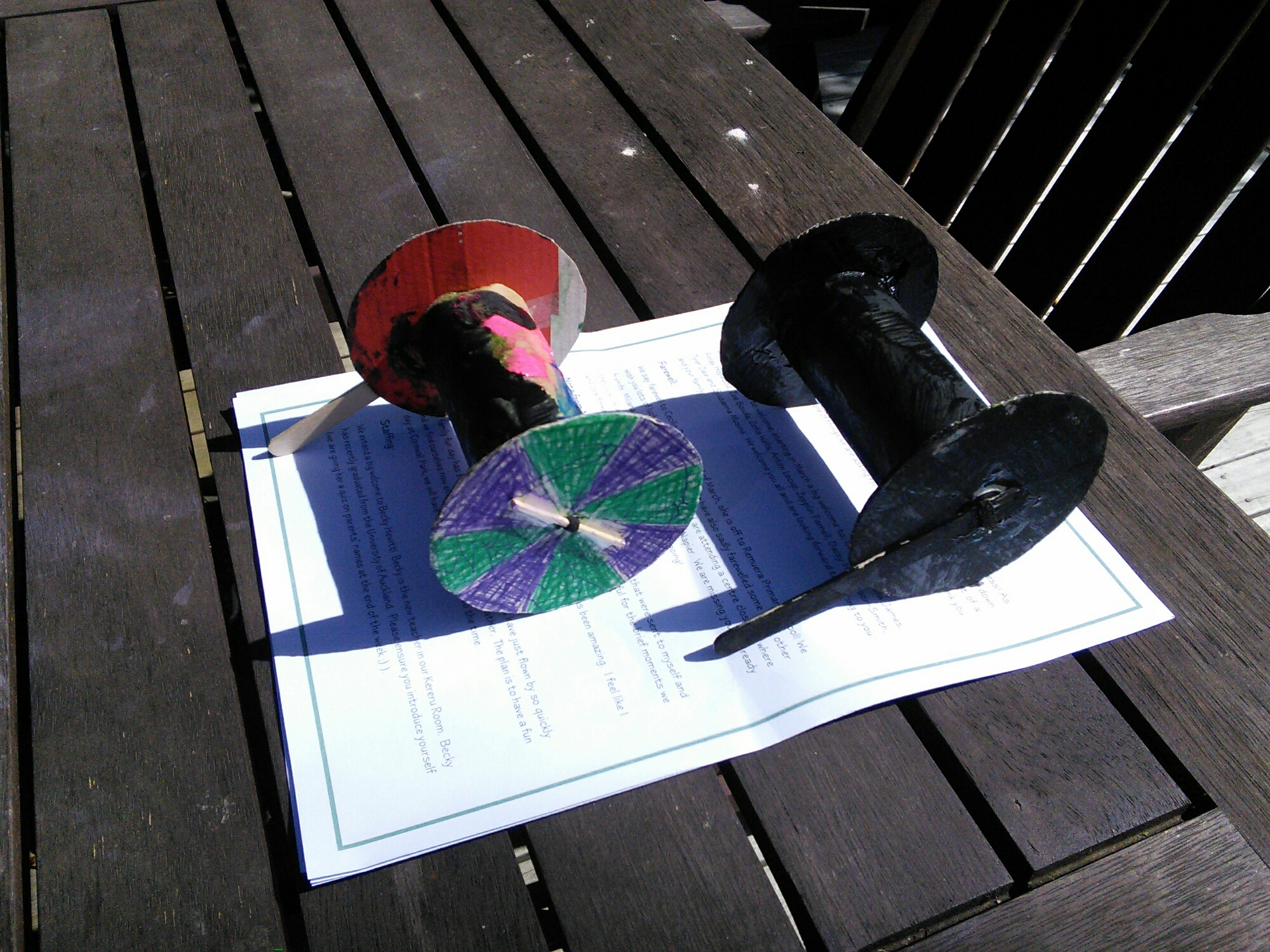
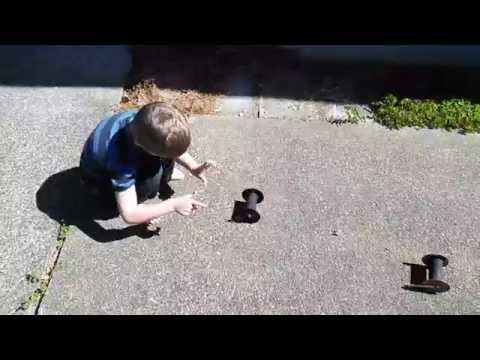
Here is a video clip of the vehicle in action: